You cannot select more than 25 topics
Topics must start with a letter or number, can include dashes ('-') and can be up to 35 characters long.
 7f805cc779
Co-authored-by: Wilba <wilba@wilba.tech> Co-authored-by: zvecr <git@zvecr.com> |
3 years ago | |
|---|---|---|
| .. | ||
| keymaps | 3 years ago | |
| config.h | ||
| id42.c | ||
| id42.h | ||
| info.json | ||
| readme.md | ||
| rules.mk | ||
readme.md
IDOBAO Abacus ID42
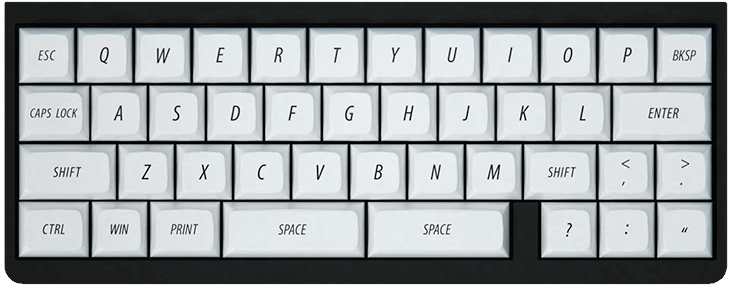
Sized just right at 40% — with a compact configuration the IDOBAO Abacus ID42 makes a great fit for any desk.
42 Keys
- Keyboard Maintainer: Vino Rodrigues
- Hardware Supported: IDOBAO Abacus ID42
- Hardware Availability: IDOBAO.net
Layout

Compiling and Flashing
Make example for this keyboard (after setting up your build environment):
make idobao/id42:default
Flashing example for this keyboard:
make idobao/id42:default:flash
See the build environment setup and the make instructions for more information.
Brand new to QMK? Start with our Complete Newbs Guide.
Bootloader
Enter the bootloader in 3 ways:
- Bootmagic reset: Hold down the [Esc] key and plug in the keyboard
- Physical reset button: Briefly press the button on the back of the PCB
- Keycode in layout: Press the key mapped to
RESET(Default =[Fn]+[R]) if it is available